 MicroStacker
 for iPhone and iPad
Every detail.
Razor sharp.
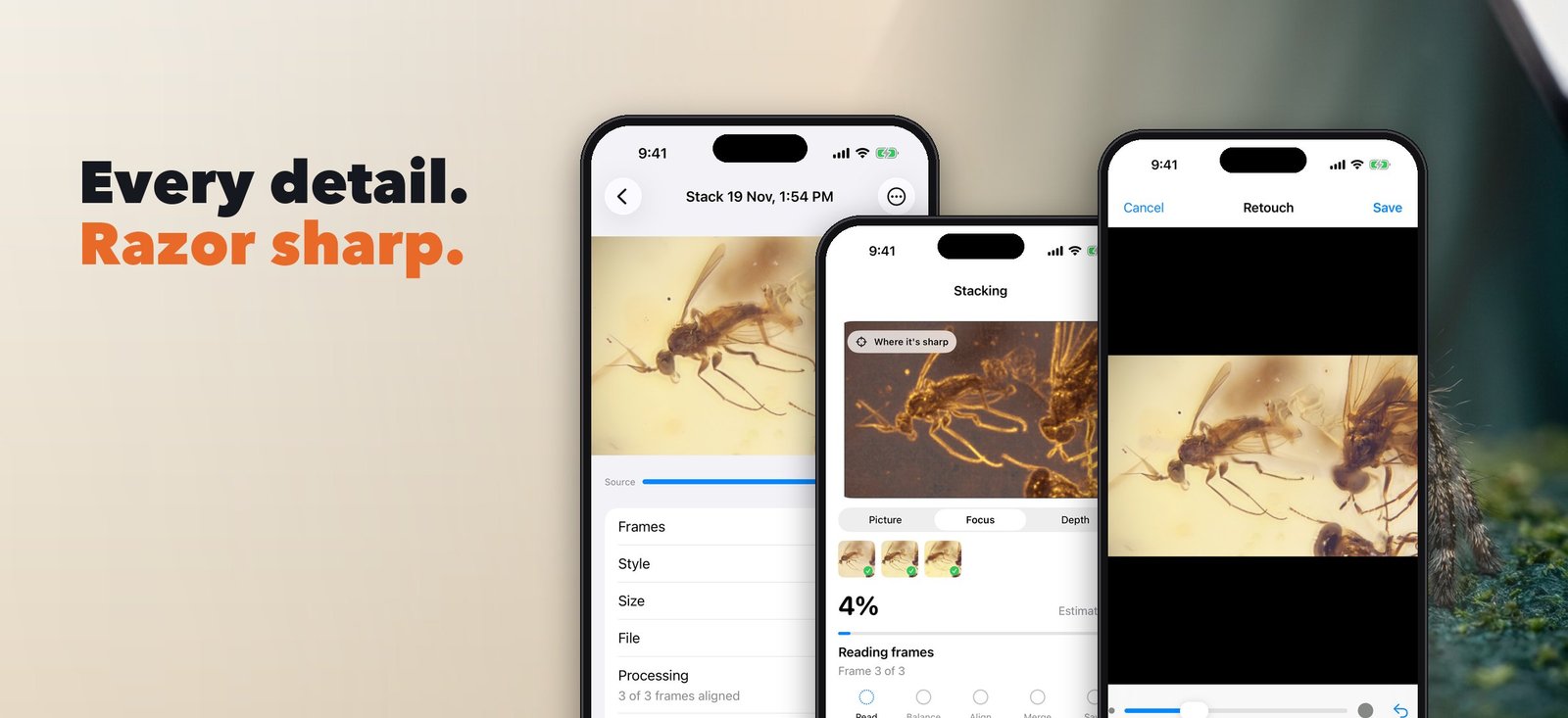
Macro lenses focus on a sliver of the scene. MicroStacker blends the sharpest part of every shot into one picture you'll want to print.
Free to start. iOS 17 or later. Nothing is uploaded.

 1 frame12 frames, stacked
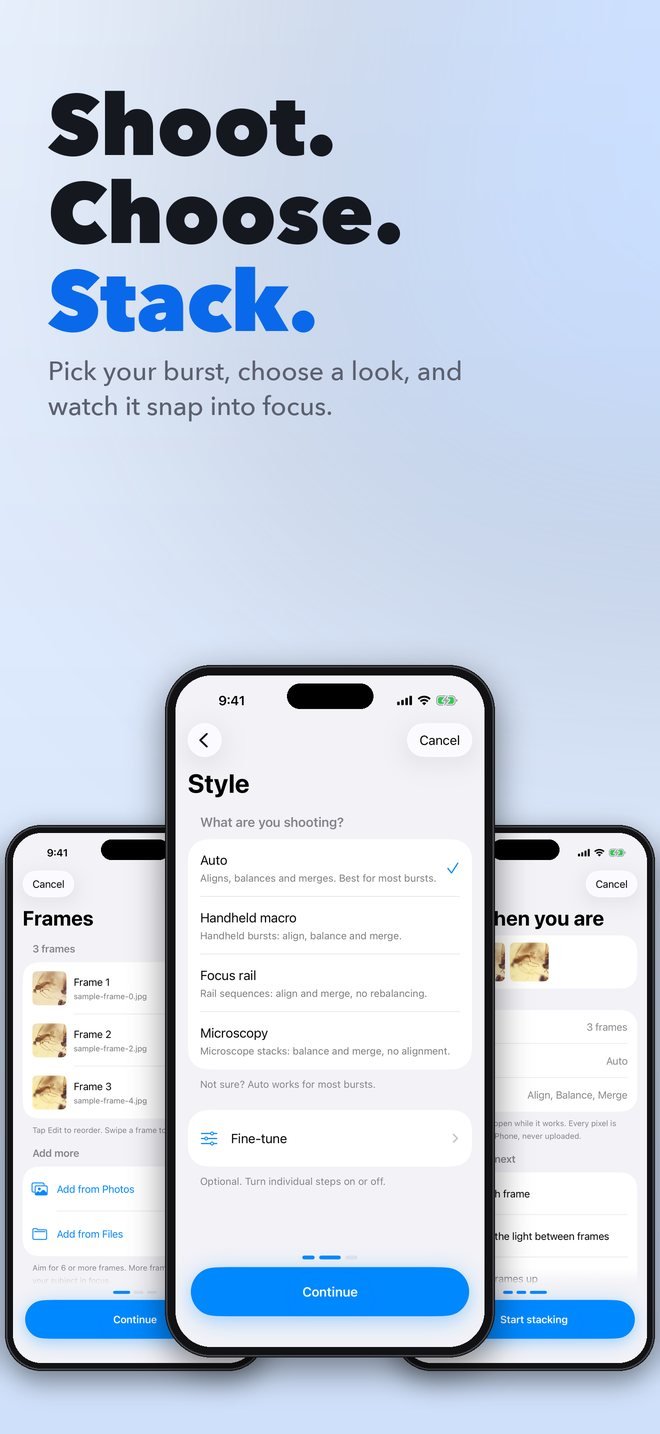
Shoot. Choose. Stack.
Three steps, one decision each. No settings screens to decode.
Shoot a burst
Handheld, on a rail or under a microscope. Pick the frames from Photos or Files.
Choose a look
Auto, Handheld, Focus rail or Microscopy, in plain words. Fine-tune only if you want to.
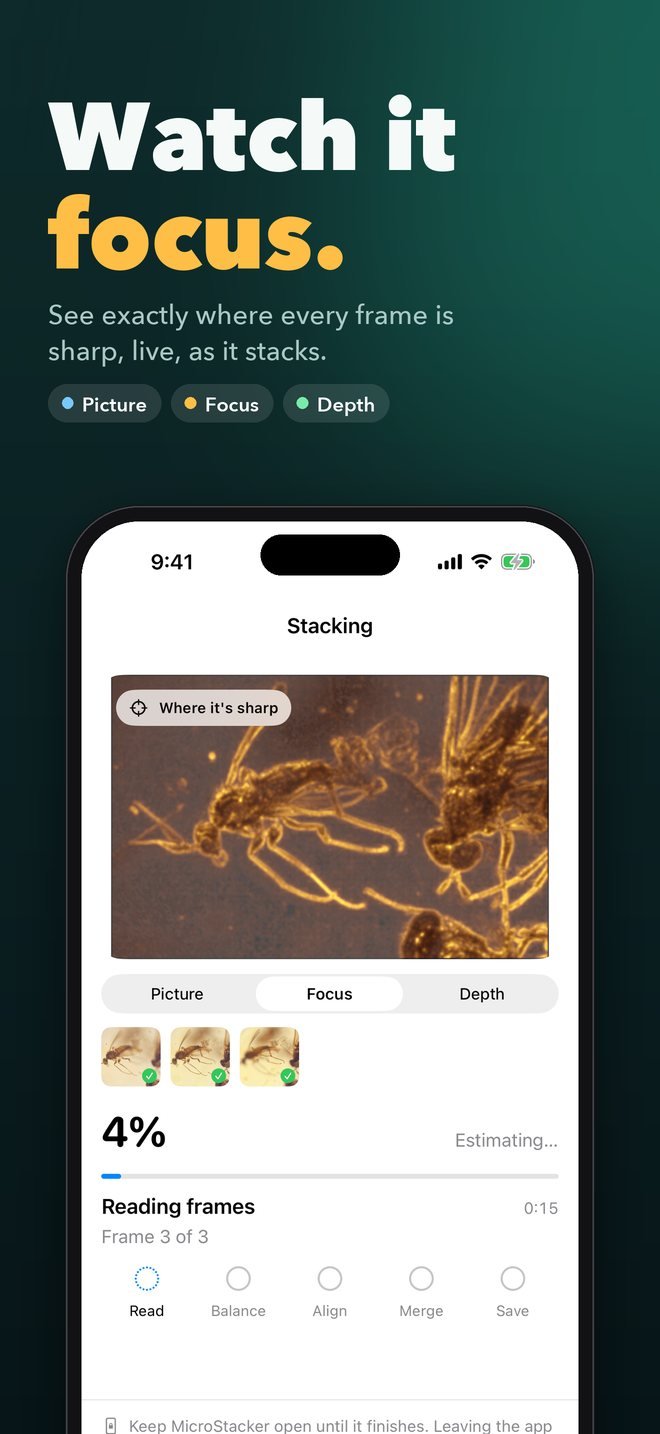
Watch it focus
A live preview shows where every frame is sharp. Done in seconds, on your device.
Built for detail
Focus and depth views
Switch between Picture, Focus and Depth while stacking. See exactly where the sharpness comes from.
Smart alignment
Frames line up to the middle of your burst, even handheld, with a plain report of anything that didn't.
Retouch from any frame
Brush in sharper detail wherever the blend isn't perfect. Saves at full resolution as a new version.
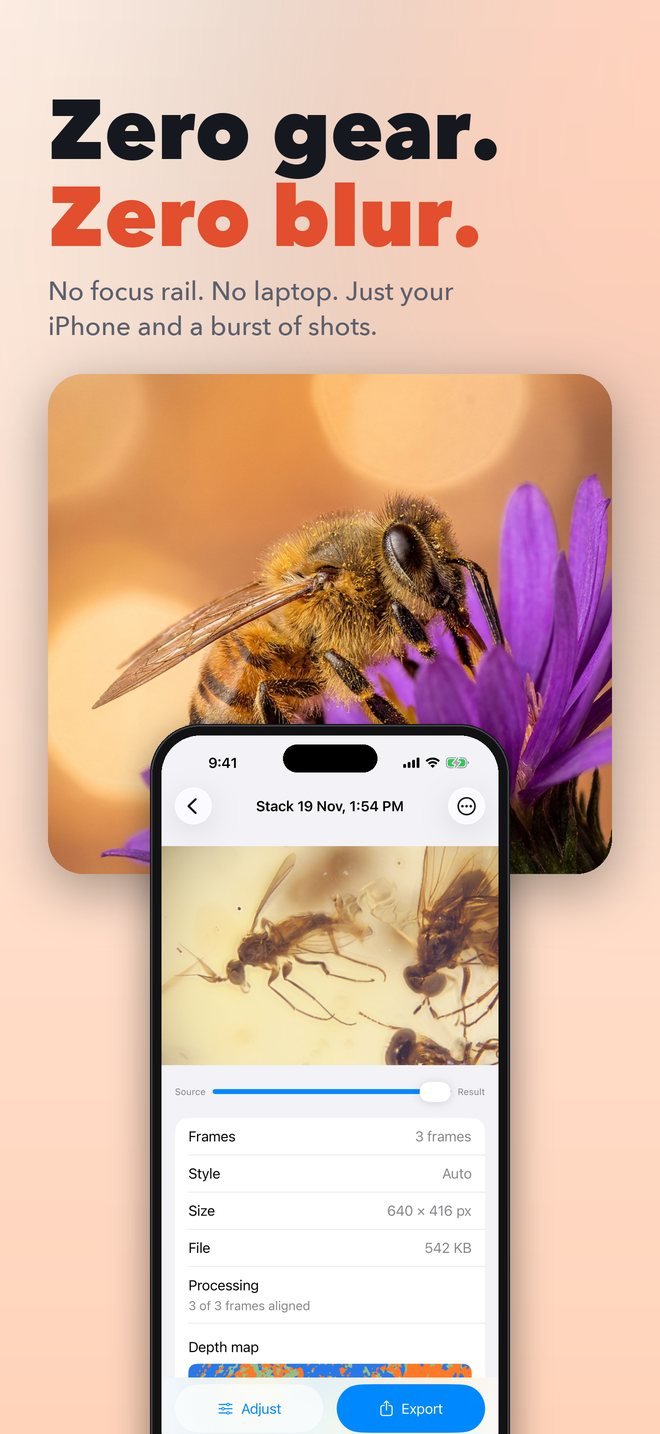
A depth map with every result
Blue came from the earliest frames, amber from the latest. See the shape of your subject.
Finishing touches
Reduce noise, sharpen, repair hot pixels, even out vignetting and correct colour casts. Each is one switch.
Export like a pro
JPEG, PNG, 16-bit TIFF or a layered TIFF with every frame aligned. Save to Photos or Files.
On iPhone



And iPad


Private by design
Every pixel is stacked on your device. Nothing is uploaded, there is no account to create, and no analytics watch what you do.

Start free. Go Pro anytime.
10 frames per stack and one stack every 30 days, free. Pro removes the limits.
Free
- 10 frames per stack
- 1 stack every 30 days
- JPEG and PNG export
- All the views and tools
Pro Annual
- Unlimited frames and stacks
- 16-bit and layered TIFF
- 7-day free trial for new subscribers
- Cancel anytime
Pro Monthly or Lifetime
- Everything in Pro
- Or pay once: $149.99 lifetime
- No subscription needed for Lifetime
Prices in US dollars; local prices are shown in the App Store. Subscriptions renew automatically until cancelled in Settings > Apple ID > Subscriptions.
Questions
Do my photos leave my iPhone?
No. Stacking happens entirely on your device. Photos are only shared if you choose "Send us this stack" in the app to get help with a problem.
Do I need a focus rail or a tripod?
No. MicroStacker aligns handheld bursts automatically. A rail or microscope gives the cleanest results, and the Focus rail and Microscopy styles are tuned for them.
How many frames can I stack?
The free plan allows 10 frames per stack. Pro has no limit. Large bursts are processed in strips so they stay within your device's memory.
Which files can I import?
JPEG, HEIC, PNG and TIFF, 8 or 16-bit, from Photos or Files. RAW and ProRAW files are decoded through the system when your device supports them.
Can I restore my purchase on a new device?
Yes. Tap Restore Purchases on the Pro screen or in Settings. Signing in with Apple is optional and only helps you find your plan on other devices.
Which devices are supported?
iPhone and iPad running iOS 17 or later.
More help: Support